Registration approvals and invitations
Review every registration before it counts. Approve, send it back for corrections, or invite guests directly with a personal link.
Where approvals usually break
Approvals normally live in an inbox. Two colleagues reply to the same request, a decision is made in a thread nobody else can see, and the guest hears nothing for a week.
How it works
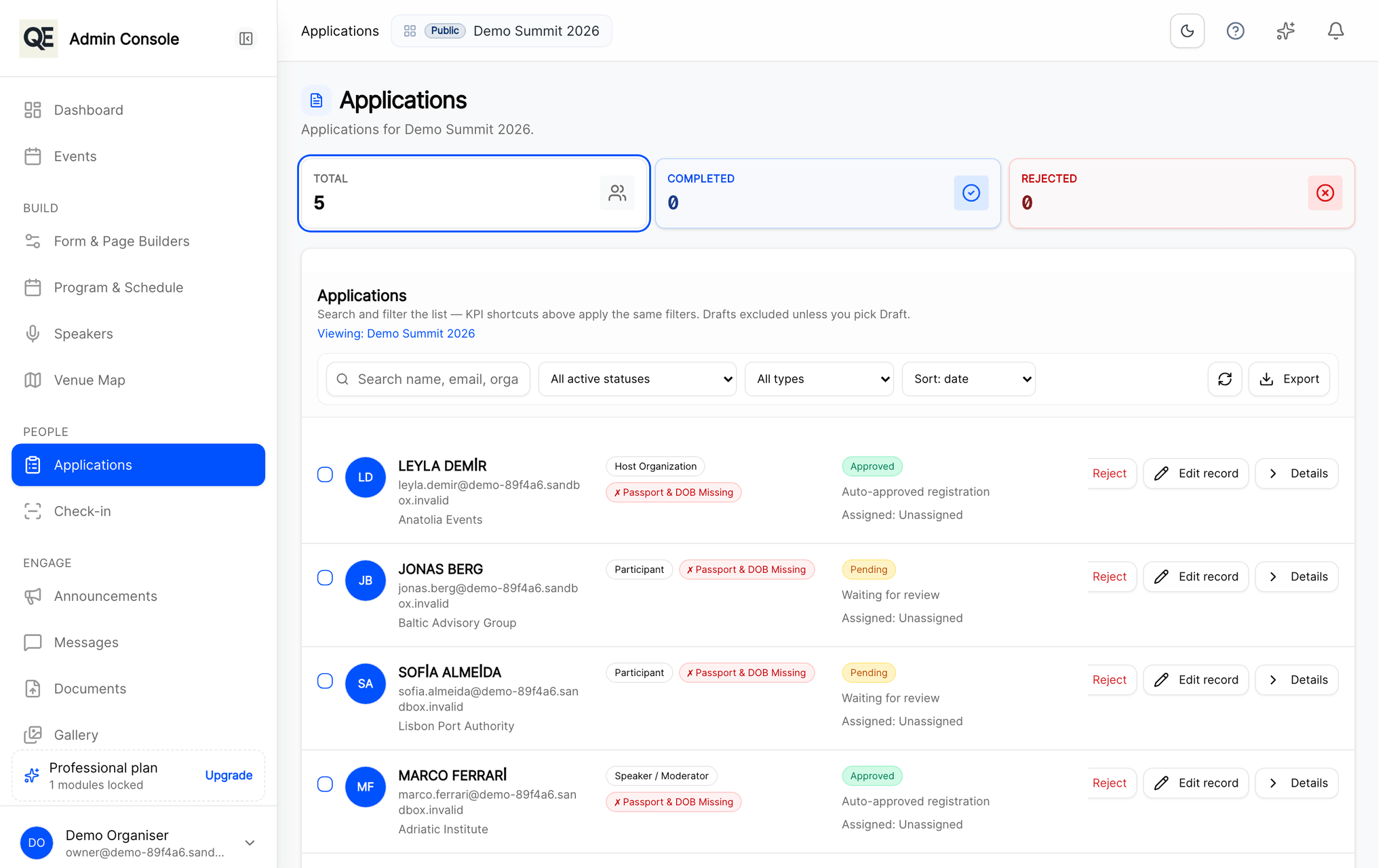
Review the whole registration
Every answer, document and travel detail sits on one screen when you make the decision.
Approve, or send it back
Send a registration back for corrections with a note about what is missing. The guest can fix it and resubmit without starting again.
Invite people directly
Skip the open form entirely: send a personal invitation link to the people you want, and keep the event unlisted.
Close registration when you choose
Set a deadline, or close it manually. Approvals can still be withdrawn later if plans change.
Related
What usually goes with this
Build your registration forms
Text, choices, files. Change them without a developer.
Read moreAnnouncements and attendee messaging
Publish an agenda change once and reach everyone by e-mail and in the guest portal at the same time, with no copy-paste between tools.
Read moreTeam roles and audit trail
Give each colleague only the screens they need and keep a record of who changed what, so you can answer that question months later.
Read more
Questions
- Do guests get told when they are approved?
- Yes. Approval and rejection both notify the guest by e-mail, and their status is visible in their own portal at any time.
- Can I keep an event completely invitation-only?
- Yes. An unlisted event does not appear in any public list, only people with the link or an invitation can reach it.
Ready when you are
Set up your organization, publish your first event and open registrations, you can do it in one sitting.
- Real organiser panel
- Registrations and check-in
- Your own public event page