Conference management software
Run a multi-day conference end to end: registration, speaker and session programme, badges, QR check-in and the attendee portal in one place.
Where conference tooling usually splits
The registration tool holds the sign-ups, a spreadsheet holds the hotel allocation, the agenda is a PDF, and the door has a printed list. Four sources, and by day two none of them agree.
Running a conference on QuickEvent
Open registration on your own form
Ask what your conference needs, session choices, dietary requirements, travel details, and review each registration before approving it.
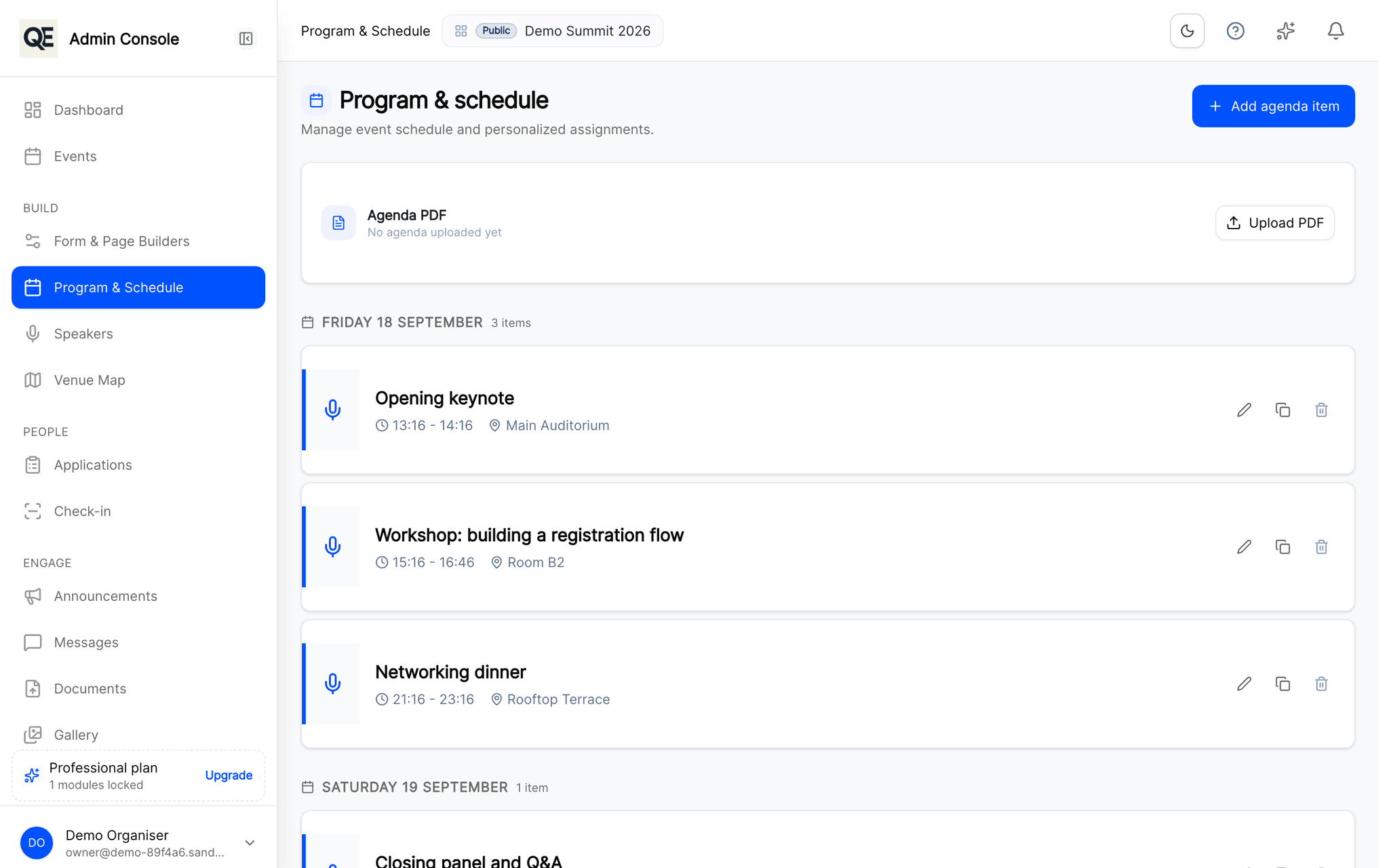
Publish the programme
Sessions, times and rooms in one agenda that delegates see in their portal and on their phone.
Handle the arrivals
Collect flights, assign hotel rooms and plan transfers next to the guest record rather than in a separate file.
Open the doors
Digital badges with QR check-in, and arrivals visible as they happen.
Related
What usually goes with this
Build your registration forms
Text, choices, files. Change them without a developer.
Read moreAgenda and session management
Publish the programme once and every guest sees the same agenda, in their own portal and on their phone, updated the moment you change it.
Read moreDigital badges and QR check-in
Every approved guest gets a digital badge. Scan it at the door with a phone and watch arrivals appear in real time.
Read more
Questions
- Can delegates choose which sessions they attend?
- Yes. Session choices can be asked as part of the registration form, so you know the numbers before the day.
- Is there a mobile app for delegates?
- Yes. Delegates can use the mobile app for their agenda, badge and announcements, or stay in the web portal.
Ready when you are
Set up your organization, publish your first event and open registrations, you can do it in one sitting.
- Real organiser panel
- Registrations and check-in
- Your own public event page