Travel, hotel and transfer management
Collect flight details, assign hotel rooms and plan airport transfers in the same place as the guest list — not in a separate spreadsheet.
Why this is where events go wrong
Most event tools end at the sign-up form. Everything after it, who lands when, who shares a hotel, which car meets which flight, moves into spreadsheets, and the spreadsheets stop matching the guest list within a week.
How it works
Collect travel details with the registration
Flight number, arrival and departure times are answers on the registration, so they arrive attached to the right guest.
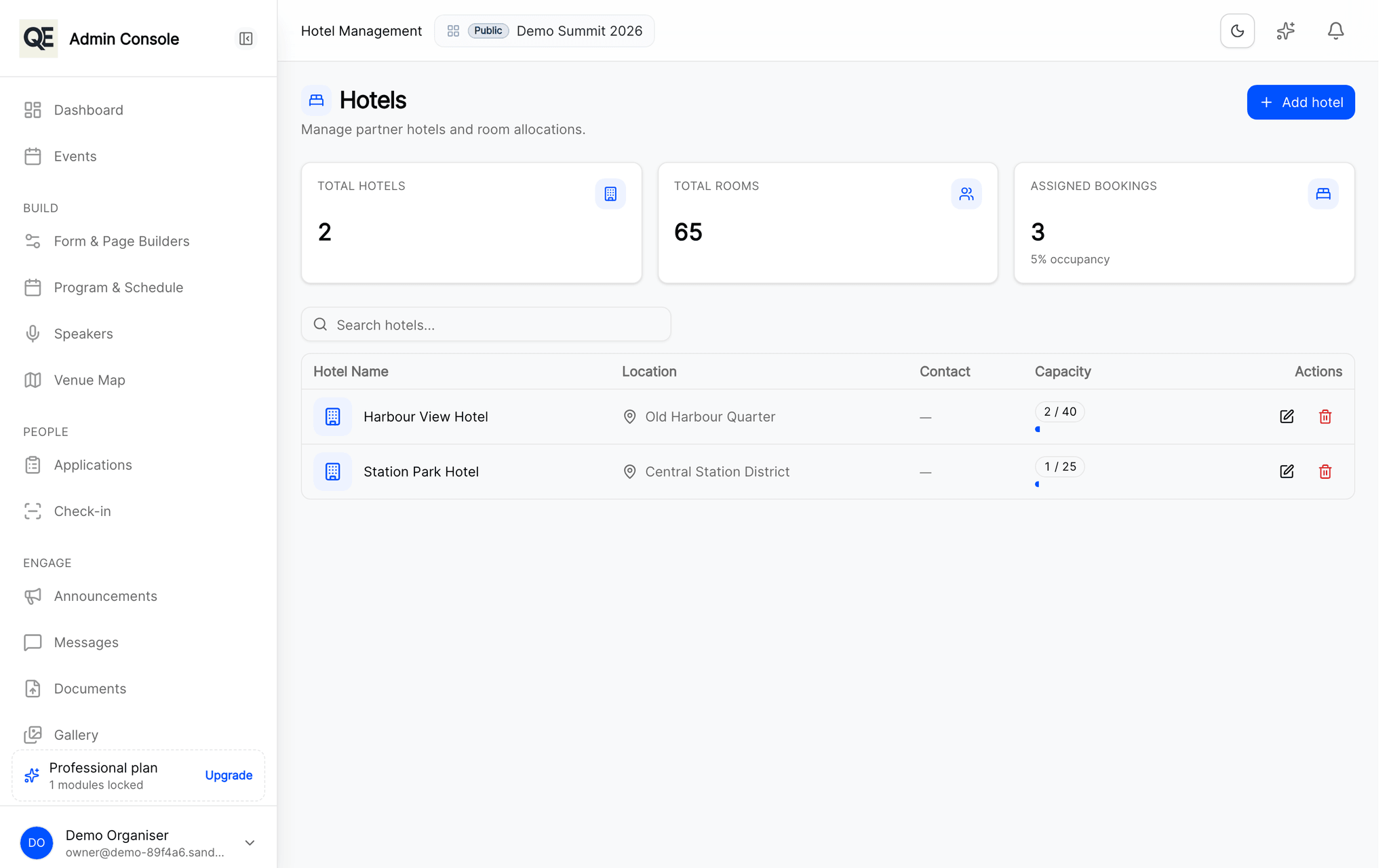
Assign hotel rooms
Allocate accommodation per guest and keep the assignment next to the record everyone else is already looking at.
Plan the transfers
Group arrivals into pickups and see who is still unaccounted for, without cross-checking two documents.
Related
What usually goes with this
Registration approvals and invitations
Review every registration before it counts. Approve, send it back for corrections, or invite guests directly with a personal link.
Read moreDigital badges and QR check-in
Every approved guest gets a digital badge. Scan it at the door with a phone and watch arrivals appear in real time.
Read moreAgenda and session management
Publish the programme once and every guest sees the same agenda, in their own portal and on their phone, updated the moment you change it.
Read more
Questions
- Can guests update their flight after registering?
- Yes. Guests can change their travel details from their portal, and the update lands on the same record you are working from.
Ready when you are
Set up your organization, publish your first event and open registrations, you can do it in one sitting.
- Real organiser panel
- Registrations and check-in
- Your own public event page